On-Device AI Protection

Know what's behind every QR code

Scan any QR code and get an instant threat assessment powered by four intelligence sources and on-device machine learning. No data leaves your phone.

Get it on Google Play Coming Soon
Learn More
4
Threat Sources
14
Threat Types
31
AI Features

Scanning

Point at a QR code

https://example.com/promo
Safe
Score: 8/100

Danger Detected

phish-login.suspicious.ru/verify

  • 🚨

    Phishing Attempt

    Google Web Risk flagged

  • 🔍

    Suspicious Domain

    Recently registered TLD

  • 🤖

    AI: High Risk

    Score 94/100 — 4 models

Don't Open
Copy URL
Everything you need to scan safely

A QR code scanner that checks your camera, screenshots, or documents and delivers instant security analysis.

📷

Real-Time Camera Scanning

Point your camera at any QR code for instant detection with a live viewfinder overlay and colour-coded risk results.

📋

Scan Screenshots & Images

Paste screenshots from emails, messages, or documents. Import photos with pinch-to-zoom for precise QR code framing.

🛡

Multi-Source Threat Intel

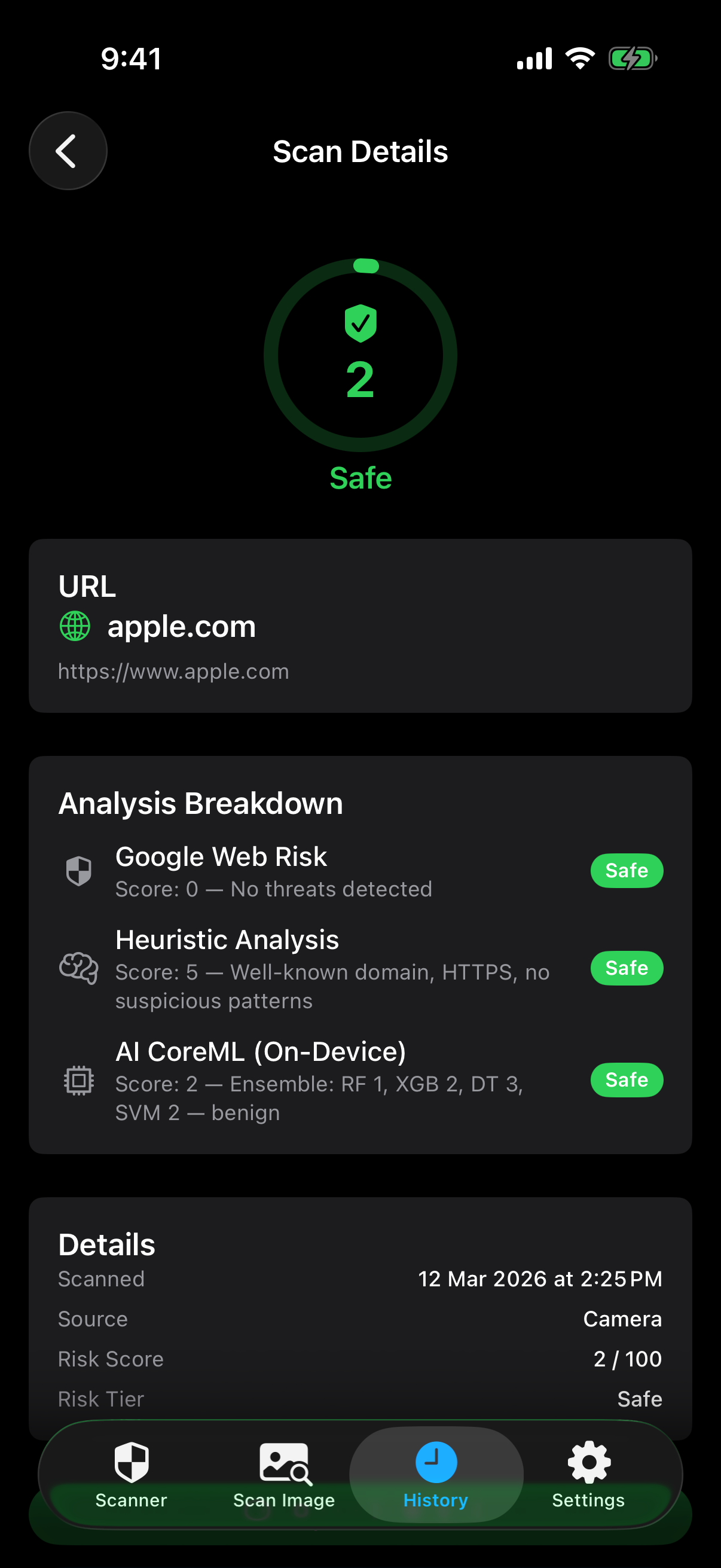
Every URL is checked against Google Web Risk, URLhaus, heuristic analysis, and on-device AI simultaneously.

🧠

On-Device AI Analysis

Four ML models (Random Forest, XGBoost, Decision Tree, SVM) analyse 31 URL features entirely on your device.

14 Threat Types Detected

Phishing, malware, social engineering, homoglyph attacks, suspicious domains, URL shorteners, and more.

Customisable Sensitivity

Choose Strict, Standard, or Relaxed sensitivity. Review full scan history with search and filters.

Three steps to safety

From scan to decision in under a second.

1

Scan

Point your camera at a QR code, paste a screenshot, or import a photo.

2

Analyse

The URL is instantly checked against four threat intelligence sources and on-device AI.

3

Decide

See a clear risk rating with detailed threat breakdown. Open, copy, or mark as trusted.

Powered by four sources

Multiple providers run concurrently for fast, comprehensive analysis.

🟢

Google Web Risk

Checks URLs against Google's continuously updated database of phishing, malware, and social engineering threats.

40% weight
🚫

URLhaus

Cross-references URLs against abuse.ch's URLhaus database of actively distributed malware URLs reported by the security community.

20% weight
🧠

Heuristic Analysis

Local pattern matching against known threat signatures — domain characteristics, URL structure, and suspicious patterns.

20% weight
💻

On-Device AI (CoreML)

Four ML models ensemble analysing 31 URL features including entropy, character frequency, and domain structure.

20% weight

See it in action

A clean, intuitive QR code scanner interface designed to give you confidence in every scan.

Safe scan result - apple.com scored 2/100 Safe Result
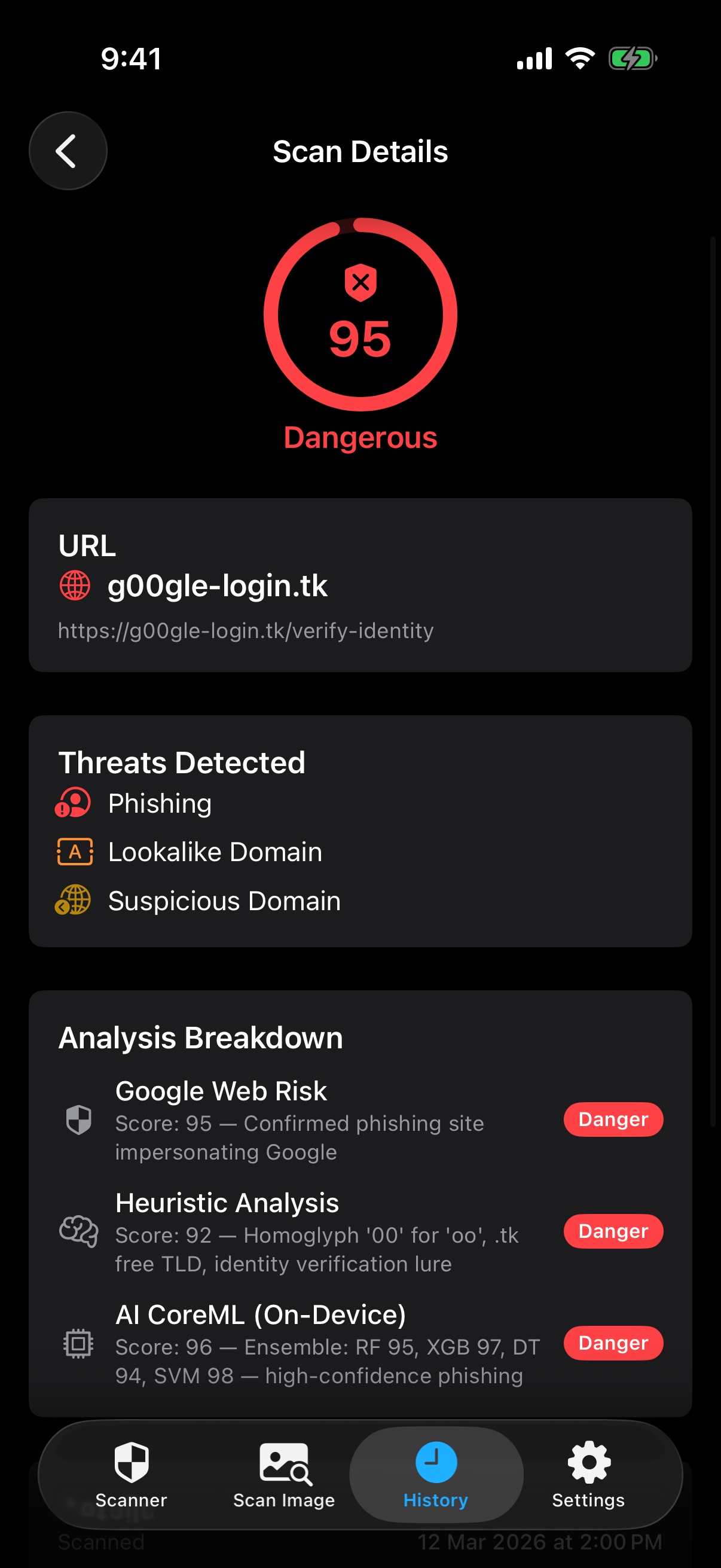
Dangerous scan result - phishing site scored 95/100 Threat Detected
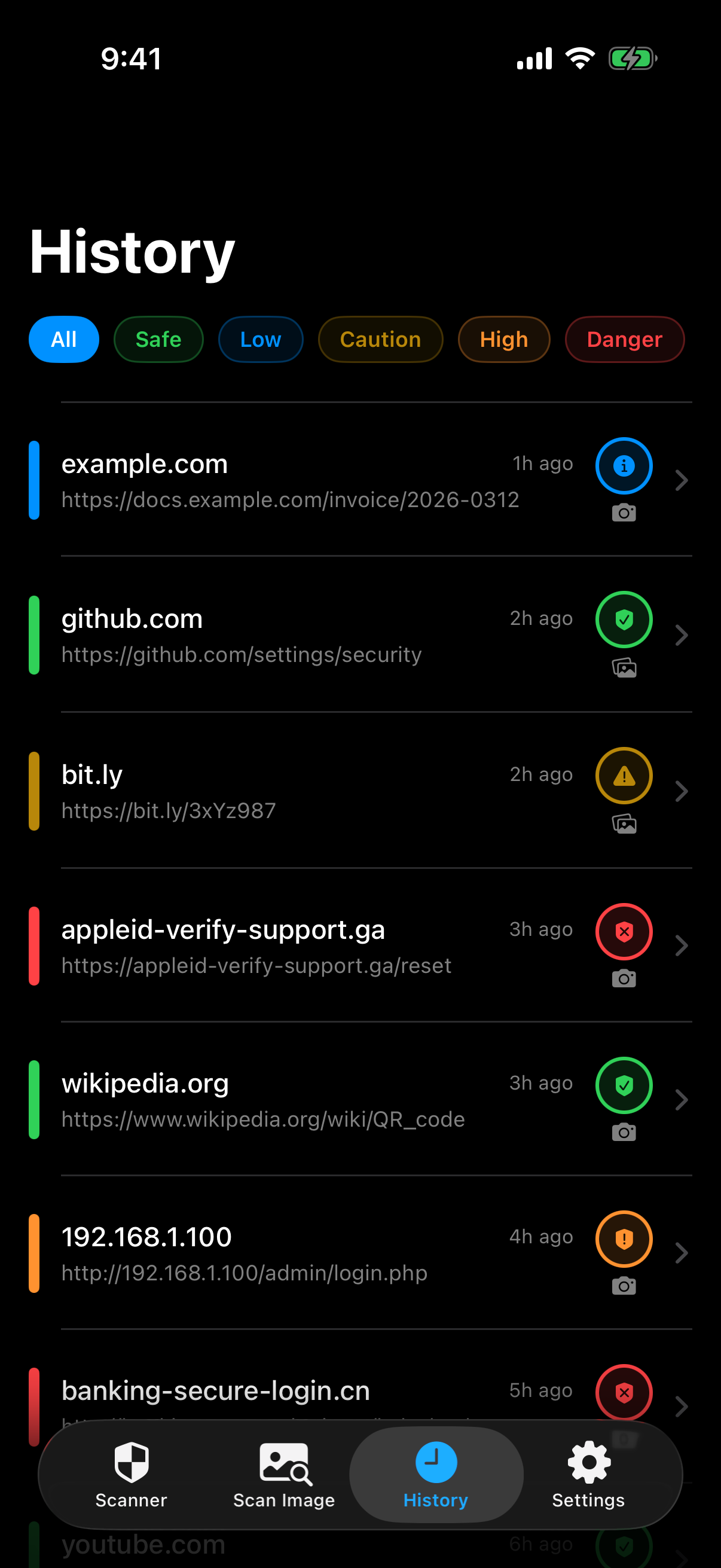
Scan history with colour-coded risk levels Scan History
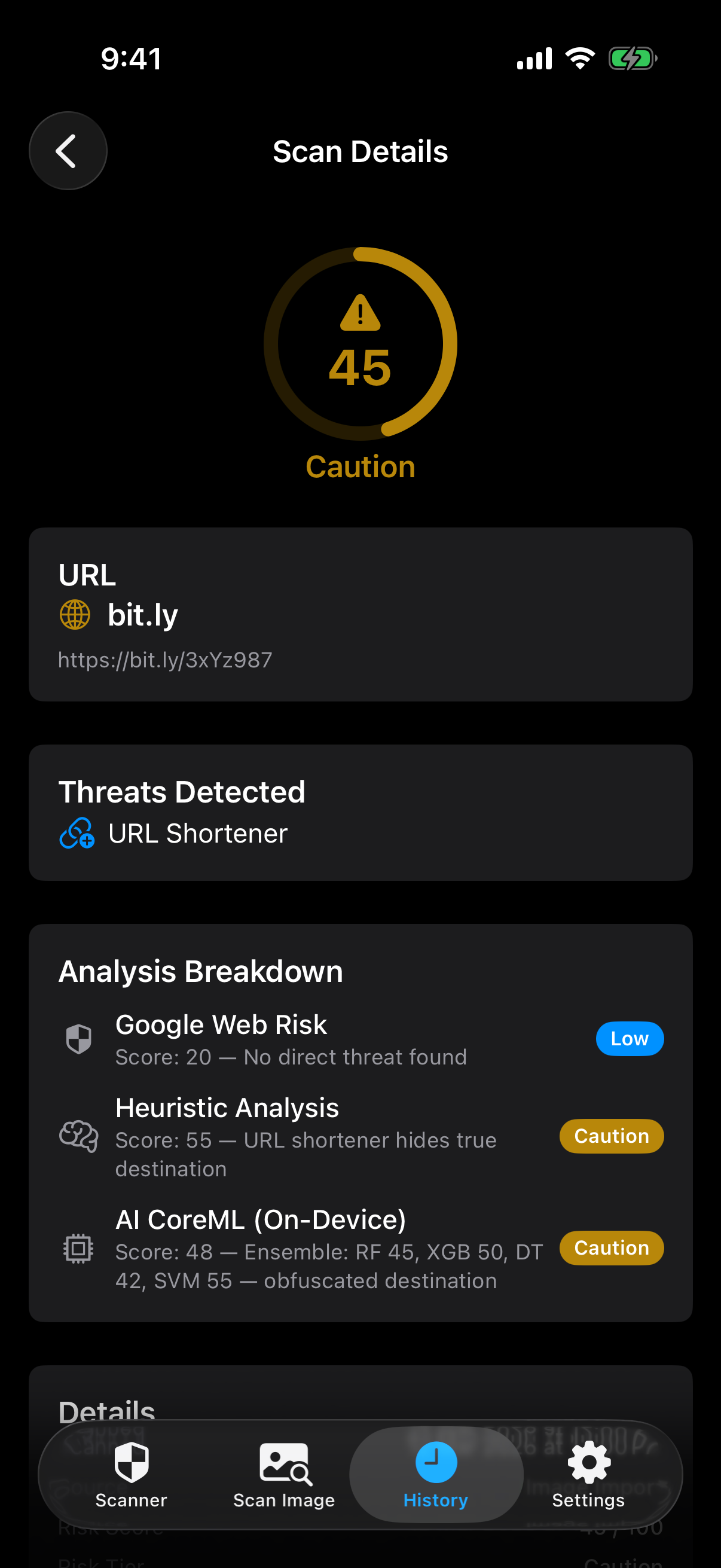
Caution scan - URL shortener bit.ly scored 45/100 Caution Alert
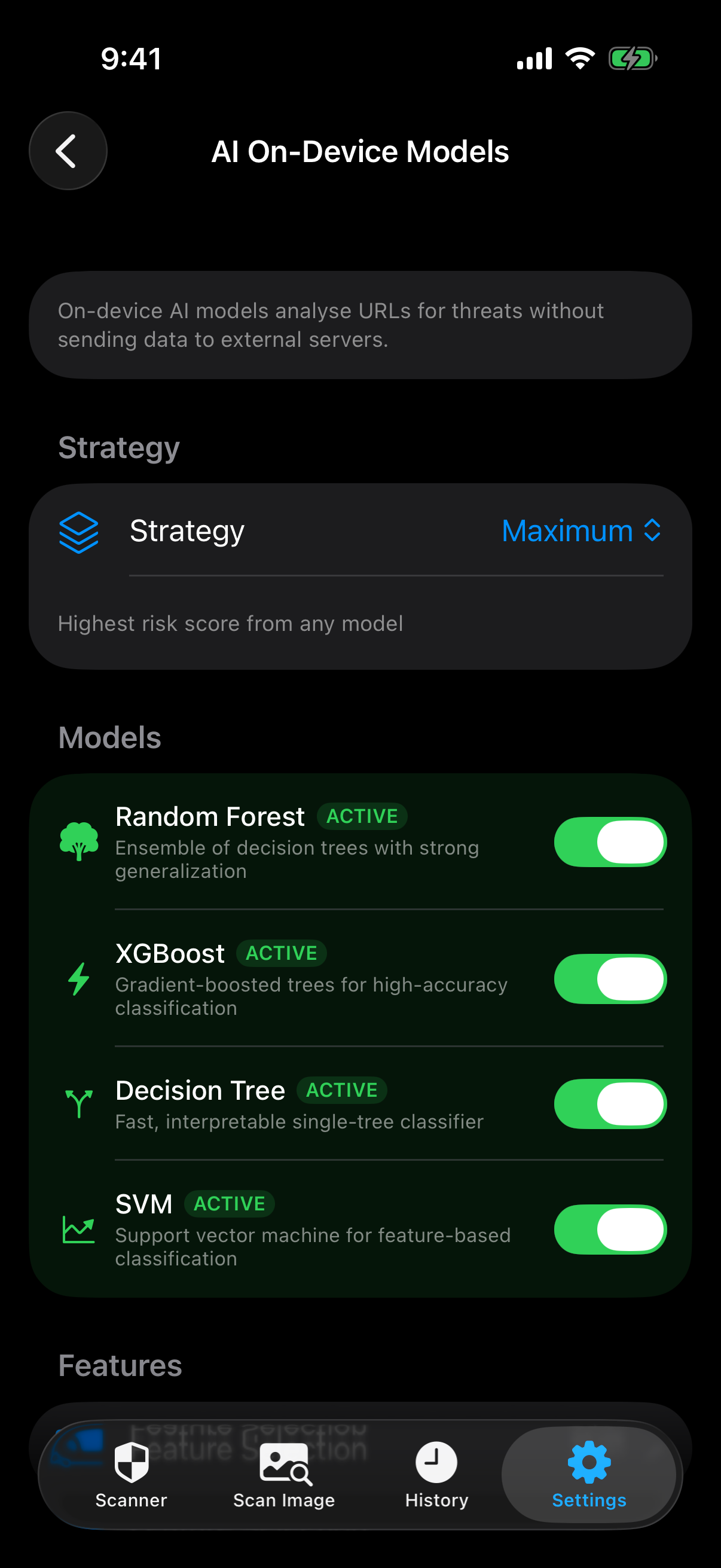
AI on-device models settings screen AI Models

Privacy first, always

Your security shouldn't cost you your privacy.

🚫

No Ads, No Tracking

Zero advertising, zero analytics SDKs, zero tracking of any kind. No personal data is collected, shared, or sold.

📱

On-Device Processing

Camera frames and AI analysis stay on your device. Only the decoded URL text is sent to threat databases.

💾

Local Storage Only

All scan history is stored locally. Delete everything anytime from Settings. No server-side data.

🍏

Pure Apple Frameworks

Built entirely with native iOS frameworks — no third-party SDKs, no external dependencies.

QR Code Check app icon

Check before you click

The free QR code scanner that keeps you safe between scanning and opening any link.

Get it on Google Play Coming Soon