On-Device AI Protection

Know what's behind every QR code

Scan any QR code and get an instant threat assessment powered by four intelligence sources and on-device machine learning. No data leaves your phone.

4
Threat Sources
14
Threat Types
31
AI Features

Scanning

Point at a QR code

https://example.com/promo
Safe
Score: 8/100
⚠

Danger Detected

phish-login.suspicious.ru/verify

  • 🚨

    Phishing Attempt

    Google Web Risk flagged

  • 🔍

    Suspicious Domain

    Recently registered TLD

  • 🤖

    AI: High Risk

    Score 94/100 — 4 models

Don't Open
Copy URL
Everything you need to scan safely

A QR code scanner that checks your camera, screenshots, or documents and delivers instant security analysis.

📷

Real-Time Camera Scanning

Point your camera at any QR code for instant detection with a live viewfinder overlay and colour-coded risk results.

📋

Scan Screenshots & Images

Paste screenshots from emails, messages, or documents. Import photos with pinch-to-zoom for precise QR code framing.

🛡

Multi-Source Threat Intel

Every URL is checked against Google Web Risk, URLhaus, heuristic analysis, and on-device AI simultaneously.

🧠

On-Device AI Analysis

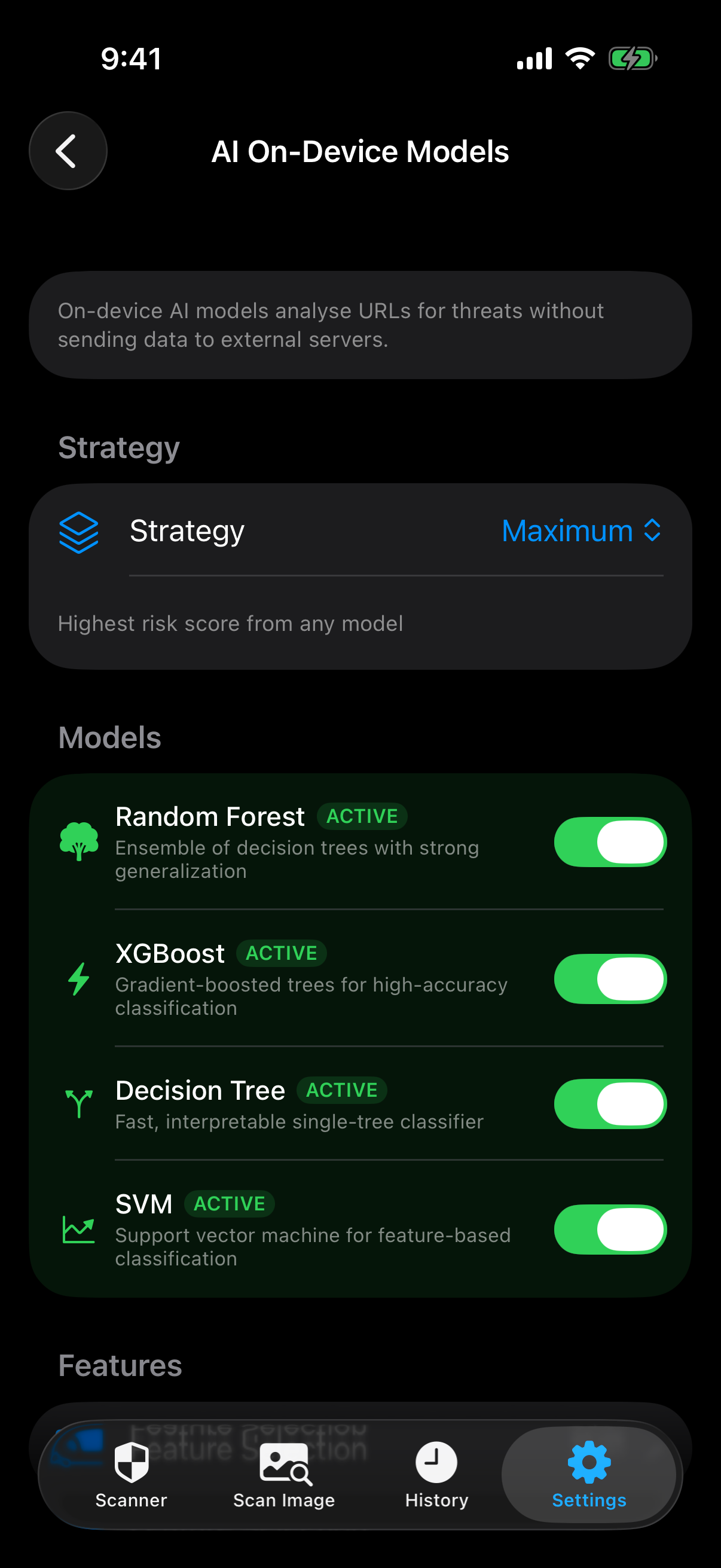
Four ML models (Random Forest, XGBoost, Decision Tree, SVM) analyse 31 URL features entirely on your device.

⚠

14 Threat Types Detected

Phishing, malware, social engineering, homoglyph attacks, suspicious domains, URL shorteners, and more.

⚙

Customisable Sensitivity

Choose Strict, Standard, or Relaxed sensitivity. Review full scan history with search and filters.

Three steps to safety

From scan to decision in under a second.

1

Scan

Point your camera at a QR code, paste a screenshot, or import a photo.

2

Analyse

The URL is instantly checked against four threat intelligence sources and on-device AI.

3

Decide

See a clear risk rating with detailed threat breakdown. Open, copy, or mark as trusted.

Powered by four sources

Multiple providers run concurrently for fast, comprehensive analysis.

🟢

Google Web Risk

Checks URLs against Google's continuously updated database of phishing, malware, and social engineering threats.

40% weight
🚫

URLhaus

Cross-references URLs against abuse.ch's URLhaus database of actively distributed malware URLs reported by the security community.

20% weight
🧠

Heuristic Analysis

Local pattern matching against known threat signatures — domain characteristics, URL structure, and suspicious patterns.

20% weight
💻

On-Device AI (CoreML)

Four ML models ensemble analysing 31 URL features including entropy, character frequency, and domain structure.

20% weight

See it in action

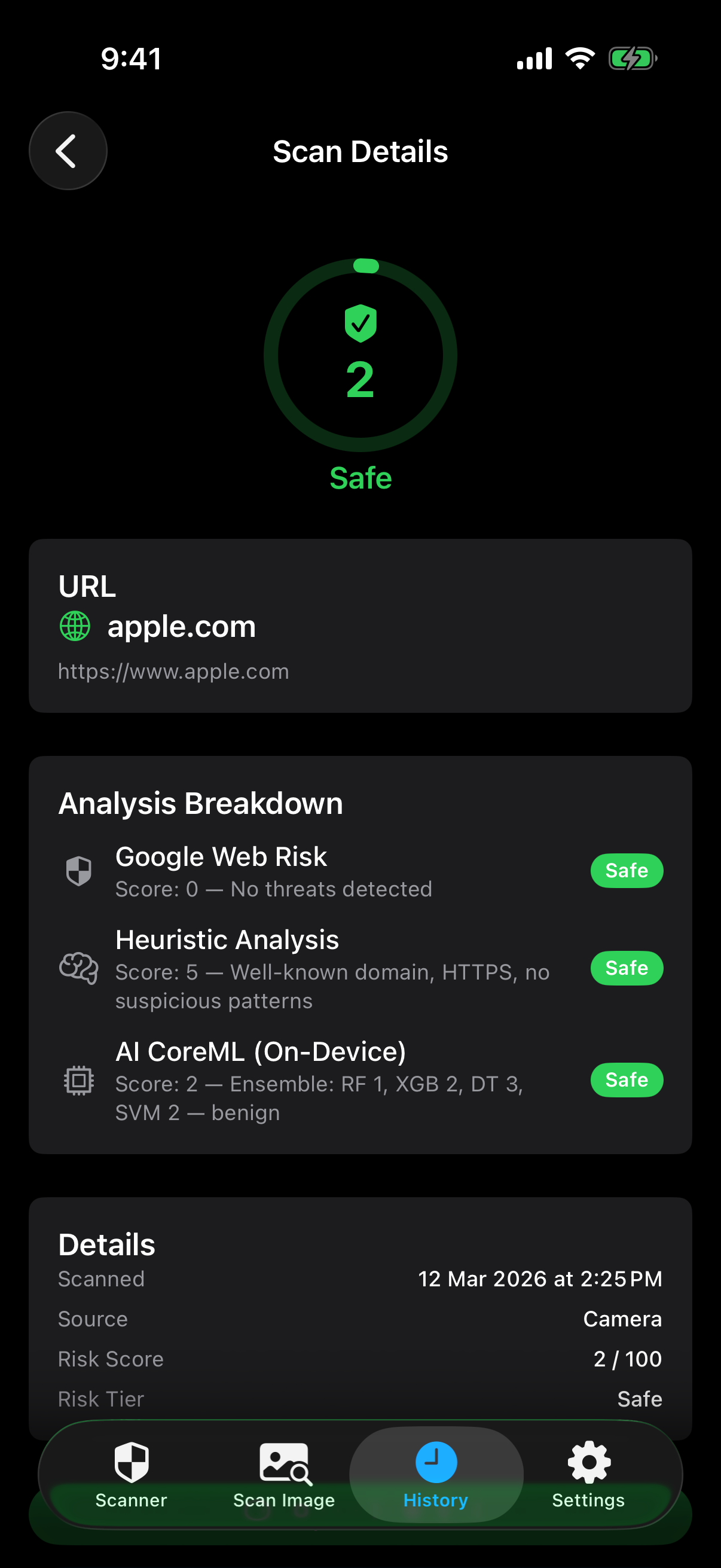
A clean, intuitive QR code scanner interface designed to give you confidence in every scan.

Safe scan result - apple.com scored 2/100 Safe Result
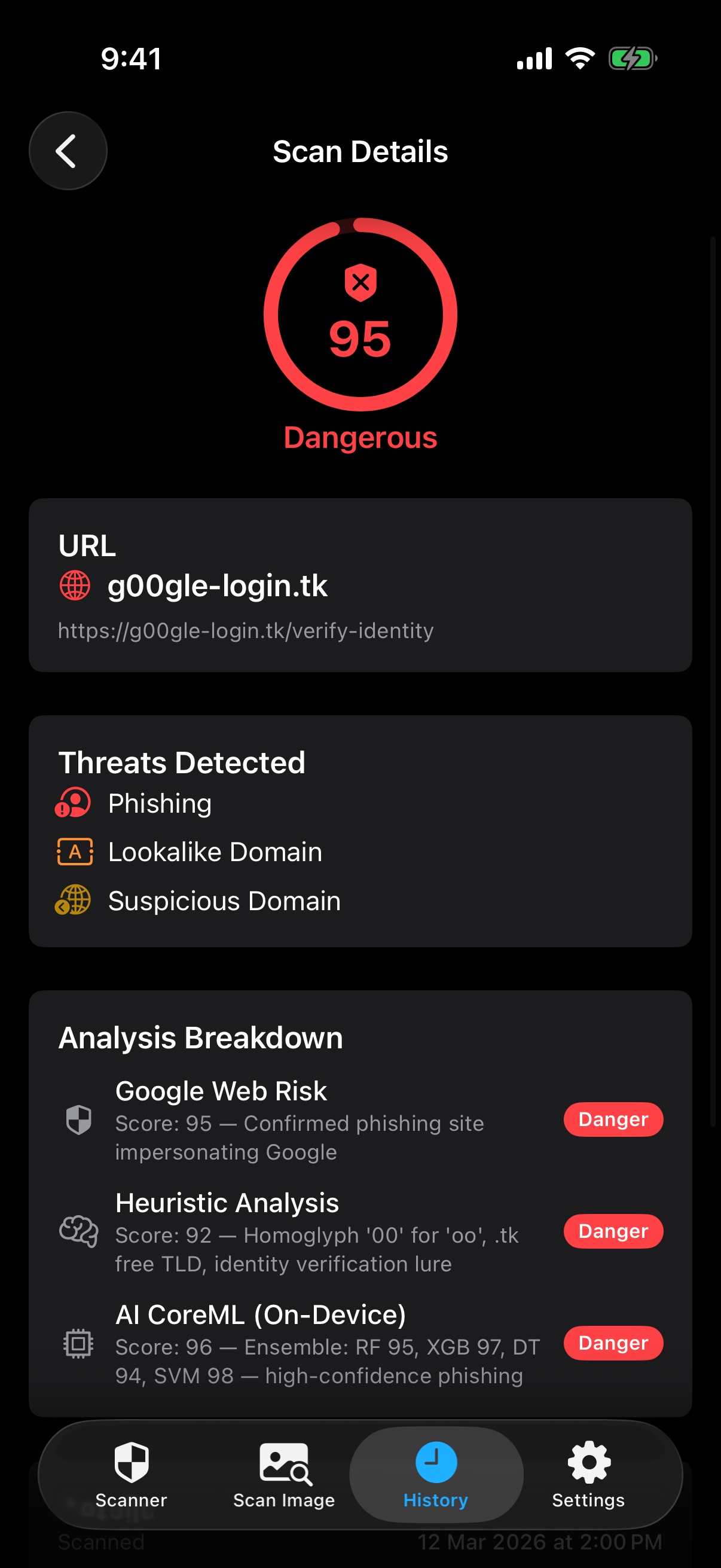
Dangerous scan result - phishing site scored 95/100 Threat Detected
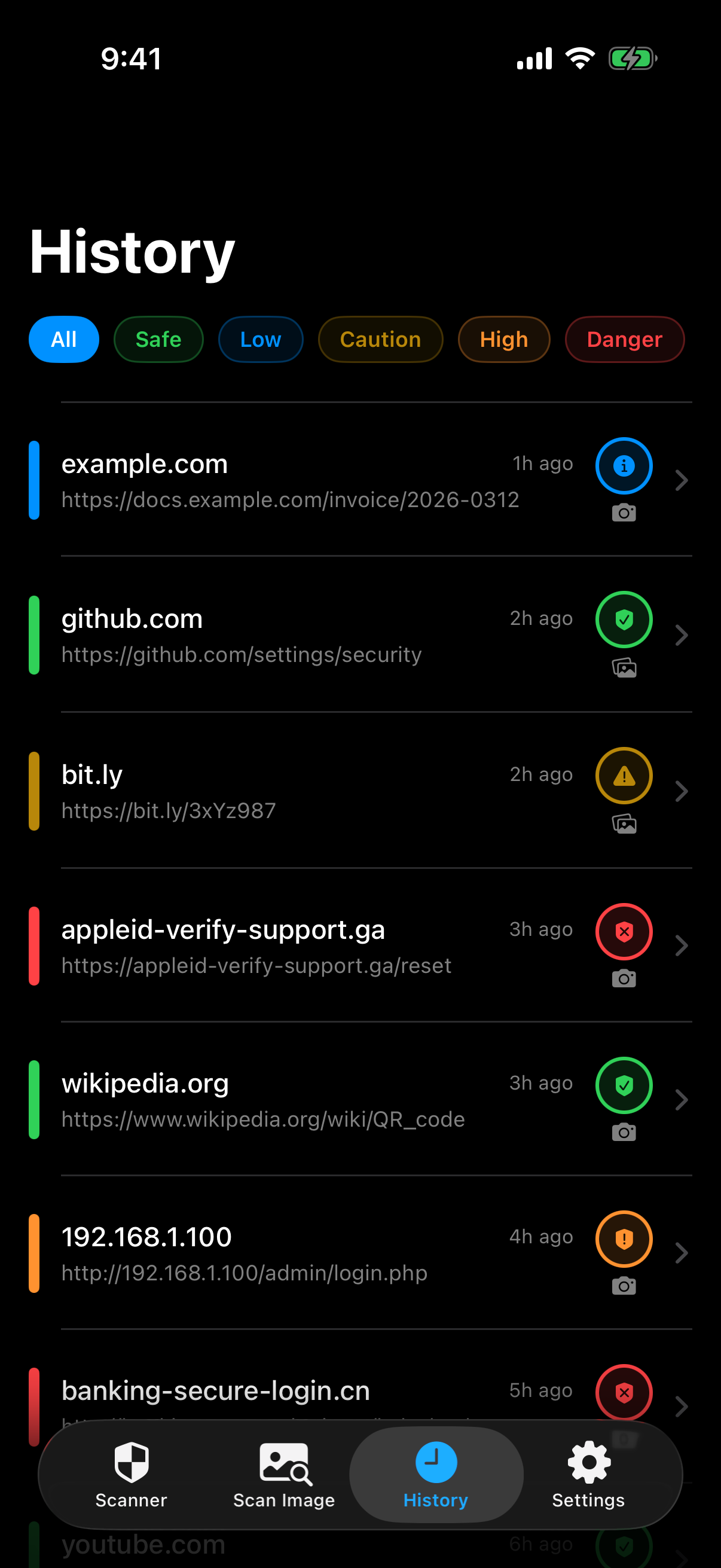
Scan history with colour-coded risk levels Scan History
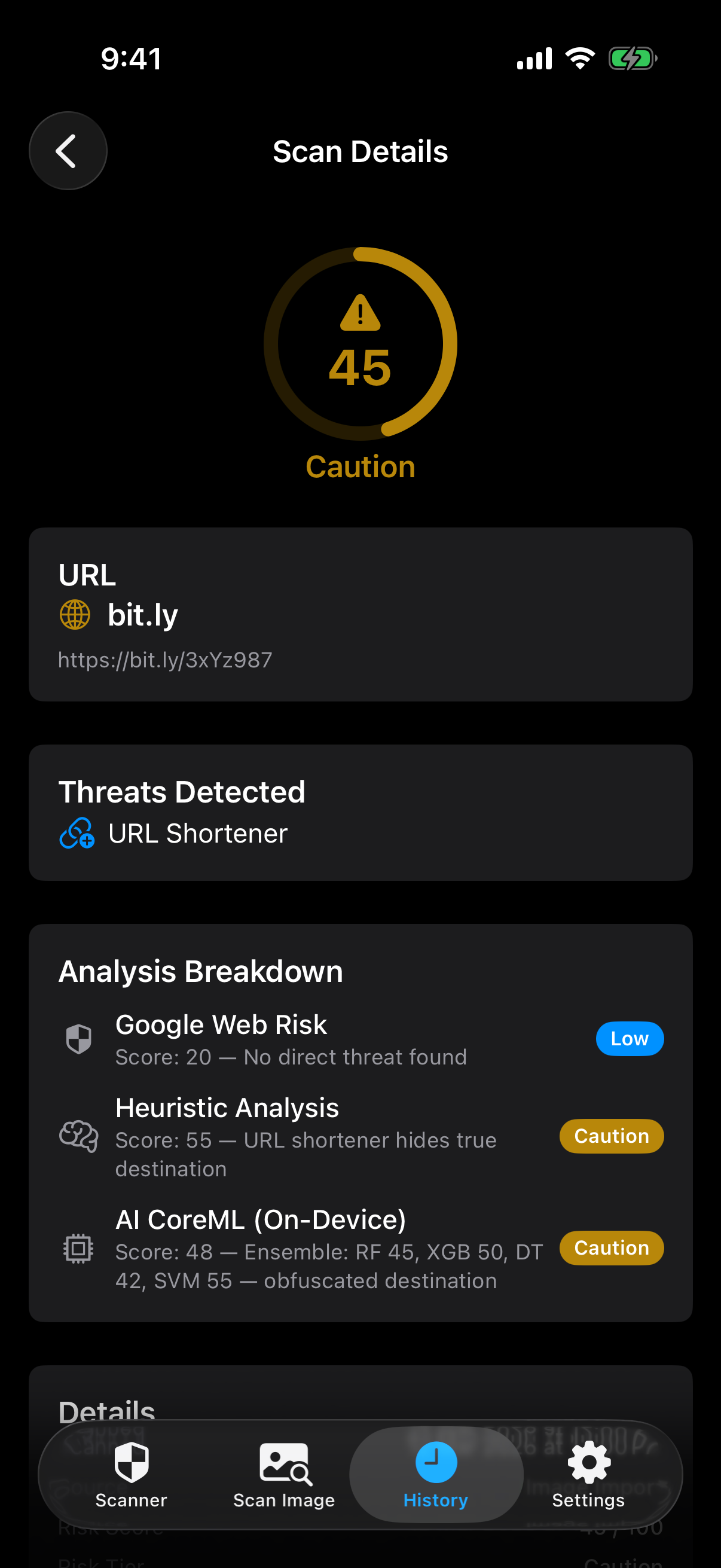
Caution scan - URL shortener bit.ly scored 45/100 Caution Alert
AI on-device models settings screen AI Models

Privacy first, always

Your security shouldn't cost you your privacy.

🚫

No Ads, No Tracking

Zero advertising, zero analytics SDKs, zero tracking of any kind. No personal data is collected, shared, or sold.

📱

On-Device Processing

Camera frames and AI analysis stay on your device. Only the decoded URL text is sent to threat databases.

💾

Local Storage Only

All scan history is stored locally. Delete everything anytime from Settings. No server-side data.

🍏

Pure Apple Frameworks

Built entirely with native iOS frameworks — no third-party SDKs, no external dependencies.

QR Code Check app icon

Check before you click

The QR code scanner that keeps you safe between scanning and opening any link.